
You are using an out of date browser. It may not display this or other websites correctly.
You should upgrade or use an alternative browser.
You should upgrade or use an alternative browser.
Apple IIe Card: An Apple IIe INSIDE my Macintosh LC475!
- Thread starter Retronaut
- Start date


Regarding double post, I understand one was for the Apple II forum and the other was for the LC forum. I use the "New Posts" view every day so I saw both posts. Is there a m68kla browsing pattern that someone might use that would miss one of the posts?
Hand up, yeah, my bad, maybe posting to the LC AND Apple II forums was not polite. It was intended to put the video in front of those that might have an interest in it, it is an odd video in that you can literally see it as a video about the LC475, or the Apple IIe Card. Sure the card is the star, but it needs a host, so.... I dont tend to be that focussed in my own viewing of retro videos, its all good to me. But I understand others prefer to limit their view to certain focussed topics, so I do try and put my videos in the right locations.
I liked the effort put into the video even if it doesn't have new information. I've never used an Apple IIe card in a Mac so I appreciate seeing how it works. I also liked the close up images and hardware explanation.
Well, for a card that is now 30+ years old, I think having new information is not really the aim (or indeed viable) at this point. My goal, rather, was to share my experience in using this card for the first time and to show others how it works. Its not even aimed especially at Apple II or indeed Mac users. You see, personally, I like a LOT of different retro tech, and I like to think others are also open to learning about these systems. Bear in mind, one day we will all be gone, along with our very specific knowledge about these machines. And these videos will be, hopefully watched by younger generations. For this reason, I dont just make these videos for hard core old timers. You see my idea?
I first saw this card in a video some 4 years back, that video was 15 minutes long and a very high level overview, and I thought it was neat. Now I have my own card, I wanted to share my experience with it, but to do another short overview felt wrong. So I did what you saw, plus another hour of disk related stuff, which I had to hold back for a part 2 as its too long. I would like to show some of the games as well, but I dont have a joystick, so I will hold off on that, or its only text adventures and RPGs
I got the feeling from the posts above, that unless you are a user with a strong focus on mainly the very technical aspects of these systems, you are not welcome here. Hence my question about trolling. After all, I spent a lot of time on the video, only to be told "rather than producing anything original, novel or that hasn't been said before." That was an incredibly rude comment to make and one which seems to come from a viewpoint that EVERYONE who watches my video, is a deep expert in the Apple IIe card. This is obviously patently not possible. Very few will have heard of it, some will of course, whilst very few will own one and one or two may be experts in it. But the video obviously was not intended for that very narrow audience. I hope that is taken onboard.
I'll just share a statistic. At this point the video has 520 views, and in terms of those coming to the video externally (not from Youtube). 85% of views are from Facebook, as I posted to a number of Mac/Apple II groups. BUT 10% of views come from this forum, and I've not had any negative comments (so far). This suggest this IS an audience for users from here. So I think I was right to post it here. Obviously, It wont be everyones cup of tea. But I dit not expect it to be.
Regarding the explanation of how Apple II color works, I find the two dots side-by-side explanation too simplistic.
It was not intended to be an exhaustive technical breakdown of the whole system. There were many points that I could have gone on to illustrate, but it was something I wanted to convey. Mainly WHY purple/green? Its a terrible choice of colours, except when you realise that the choice was not theirs to make. TBH, Im not sure why he could not have chosen other IQ values, to choose possibly "better" values and indeed why, when the High Bit is flipped, he could not have chosen different colour values for black and white? I guess thats not how artifact colour worked. I felt about 10 minutes on the topic was "enough" for most viewers as there was just so much more to cover.
Please bear in mind, when making a video, you have a time budget. Do you use that to explain WHAT the Apple II card is, WHY it was made, the controll panel etc. I try to balance all aspects, the context, technical matters etc. But unless its is specifically a deep dive video, tech details tend to be light, as only a certain audience likes to stick on a deep dive. Most prefer an overview, with some deeper dips.
Now, I could say, watch THIS video, which shows the basics, and I could then go into other aspects. But its my experience that very few will watch another video, before watching yours. It just not a thing. So you tend to have to make videos that are self contained.
The I and Q discussion was interesting.
Indeed, Im not quite sure HOW the lookup was implemented by Wozniak. It appears there was some kind of lookup table, to map these pixel values to luma/colour burts values. But if so, I dont know why the extremes of the IQ values were used. Why use purple green, but eschew red and yellow. These are generally more useful. An interesting topic, but I dont have the resources to make a video on it.
What monitors does the Apple II card work with?
It works with any suitable monitor for the LC range. It is not really based on NTSC colour artefacts for this card, it emulates this using some clever code and I assume the display chip of the host LC. The colour works perfectly, but it IS emulated. I know this as I am using a VGA adapter to get the video out, onto my HDMI monitor. I put my capture card inbetween and off I go and as you can see the capture has the artefacts in it. I guess its more akin to modern Apple HMDI cards in that respect.
Regarding the Apple IIe card DeclROM, I suppose having a driver not in the ROM makes it easier to update.
I'm not aware of the DeclROM, something I need to read up about.
Thanks for your response, some nice points.
Hand up, yeah, my bad, maybe posting to the LC AND Apple II forums was not polite. It was intended to put the video in front of those that might have an interest in it, it is an odd video in that you can literally see it as a video about the LC475, or the Apple IIe Card. Sure the card is the star, but it needs a host, so.... I dont tend to be that focussed in my own viewing of retro videos, its all good to me. But I understand others prefer to limit their view to certain focussed topics, so I do try and put my videos in the right locations.
I liked the effort put into the video even if it doesn't have new information. I've never used an Apple IIe card in a Mac so I appreciate seeing how it works. I also liked the close up images and hardware explanation.
Well, for a card that is now 30+ years old, I think having new information is not really the aim (or indeed viable) at this point. My goal, rather, was to share my experience in using this card for the first time and to show others how it works. Its not even aimed especially at Apple II or indeed Mac users. You see, personally, I like a LOT of different retro tech, and I like to think others are also open to learning about these systems. Bear in mind, one day we will all be gone, along with our very specific knowledge about these machines. And these videos will be, hopefully watched by younger generations. For this reason, I dont just make these videos for hard core old timers. You see my idea?
I first saw this card in a video some 4 years back, that video was 15 minutes long and a very high level overview, and I thought it was neat. Now I have my own card, I wanted to share my experience with it, but to do another short overview felt wrong. So I did what you saw, plus another hour of disk related stuff, which I had to hold back for a part 2 as its too long. I would like to show some of the games as well, but I dont have a joystick, so I will hold off on that, or its only text adventures and RPGs
I got the feeling from the posts above, that unless you are a user with a strong focus on mainly the very technical aspects of these systems, you are not welcome here. Hence my question about trolling. After all, I spent a lot of time on the video, only to be told "rather than producing anything original, novel or that hasn't been said before." That was an incredibly rude comment to make and one which seems to come from a viewpoint that EVERYONE who watches my video, is a deep expert in the Apple IIe card. This is obviously patently not possible. Very few will have heard of it, some will of course, whilst very few will own one and one or two may be experts in it. But the video obviously was not intended for that very narrow audience. I hope that is taken onboard.
I'll just share a statistic. At this point the video has 520 views, and in terms of those coming to the video externally (not from Youtube). 85% of views are from Facebook, as I posted to a number of Mac/Apple II groups. BUT 10% of views come from this forum, and I've not had any negative comments (so far). This suggest this IS an audience for users from here. So I think I was right to post it here. Obviously, It wont be everyones cup of tea. But I dit not expect it to be.
Regarding the explanation of how Apple II color works, I find the two dots side-by-side explanation too simplistic.
It was not intended to be an exhaustive technical breakdown of the whole system. There were many points that I could have gone on to illustrate, but it was something I wanted to convey. Mainly WHY purple/green? Its a terrible choice of colours, except when you realise that the choice was not theirs to make. TBH, Im not sure why he could not have chosen other IQ values, to choose possibly "better" values and indeed why, when the High Bit is flipped, he could not have chosen different colour values for black and white? I guess thats not how artifact colour worked. I felt about 10 minutes on the topic was "enough" for most viewers as there was just so much more to cover.
Please bear in mind, when making a video, you have a time budget. Do you use that to explain WHAT the Apple II card is, WHY it was made, the controll panel etc. I try to balance all aspects, the context, technical matters etc. But unless its is specifically a deep dive video, tech details tend to be light, as only a certain audience likes to stick on a deep dive. Most prefer an overview, with some deeper dips.
Now, I could say, watch THIS video, which shows the basics, and I could then go into other aspects. But its my experience that very few will watch another video, before watching yours. It just not a thing. So you tend to have to make videos that are self contained.
The I and Q discussion was interesting.
Indeed, Im not quite sure HOW the lookup was implemented by Wozniak. It appears there was some kind of lookup table, to map these pixel values to luma/colour burts values. But if so, I dont know why the extremes of the IQ values were used. Why use purple green, but eschew red and yellow. These are generally more useful. An interesting topic, but I dont have the resources to make a video on it.
What monitors does the Apple II card work with?
It works with any suitable monitor for the LC range. It is not really based on NTSC colour artefacts for this card, it emulates this using some clever code and I assume the display chip of the host LC. The colour works perfectly, but it IS emulated. I know this as I am using a VGA adapter to get the video out, onto my HDMI monitor. I put my capture card inbetween and off I go and as you can see the capture has the artefacts in it. I guess its more akin to modern Apple HMDI cards in that respect.
Regarding the Apple IIe card DeclROM, I suppose having a driver not in the ROM makes it easier to update.
I'm not aware of the DeclROM, something I need to read up about.
Thanks for your response, some nice points.
An interesting point. I am using a VGA adapter and this in turn plugged into a VGA to HDMI adapter, so I could record the video. I dont recall the exact values, but this all output the VGA at an odd resolution. Its not 640x480, but rather something like 832x540 or something. Its odd, as it also overshoots my monitor, I guess because its a 4:7 display mode and my HMDI monitor is 16:9, so I am actually losing the bottom 5th of the image in my capture. I arranged my desktop to gloss over this, and amazinly, when it flipped to Apple II mode that display mode ALSO worked (which was a miracle). I fully expected it not to work, when you consider that it was designed specifically with those Apple monitors in mind.All of the machines that support the LC Card have a dedicated 560x384 video mode for the 12" RGB monitor. I believe you can run it windowboxed on a 13" 640x480, but I'm not clear on that detail.

Mainly WHY purple/green? Its a terrible choice of colours, except when you realise that the choice was not theirs to make. TBH, Im not sure why he could not have chosen other IQ values, to choose possibly "better" values and indeed why, when the High Bit is flipped, he could not have chosen different colour values for black and white? I guess thats not how artifact colour worked. I felt about 10 minutes on the topic was "enough" for most viewers as there was just so much more to cover.
The I and Q discussion was interesting.
Indeed, Im not quite sure HOW the lookup was implemented by Wozniak. It appears there was some kind of lookup table, to map these pixel values to luma/colour burts values. But if so, I dont know why the extremes of the IQ values were used. Why use purple green, but eschew red and yellow. These are generally more useful. An interesting topic, but I dont have the resources to make a video on it.
As far as I know, there is very little choice happening because Woz wanted the circuitry to be as simple as possible.
The Apple II outputs an NTSC color burst (a 3.5 MHz sine wave?) at the beginning of each line, then it outputs a high or low for each bit at approximately twice that frequency 7 MHz (for hires mode). The extra colors happen by delaying the bits by a half period (14 MHz). 14 MHz is the rate of bits for lores, double lores, and double hires modes.
Using 14M dots, there are 15 or 16 different colors that fit in a color burst period (depending on whether the two grays are considered the same). The patterns can be divided into categories based on brightness and saturation (black/white/gray have no saturation):
Code:
0% black
____

25% colors
-___
_-__
__-_
___-

50% colors (hires colors)
--__
_--_
__--
-__-

50% grays (there's no 3.5M signal here)
_-_-
-_-_

75% colors
---_
_---
-_--
--_-

100% white
----

The color burst should look something like this:
/\
  \/
The color is related to the phase difference between the color burst and the bit pattern. The only thing that can be changed here is the time between the color burst and when the bits start being output (the tint?). Everything else is fixed. I don't know what the ideal color burst phase difference should be for all the colors.
You see there is a 90° phase shift between all the colors in the 25%, 50% (not gray), and 75% groups.
The Apple IIGS and Apple IIe card can use some kind of algorithm to pick an RGB color from a look-up table so they are not limited to what the old Apple II hardware could produce. Maybe they choose slightly more saturated/vibrant colors?
The gray patterns (14M/2 = 7M) are degenerate - probably not something you would see in a real NTSC signal.
Code:
-_
_-
What about other patterns?
For example, patterns that repeat at 14M/3?
Code:
33% colors or gray or what?:
-__
_-_
__-

66% colors or gray or what?:
--_
_--
-_-
14M/5 might be too wide to matter.
Code:
20% colors (or 25% colors with 0% black in between?)
-____
_-___
__-__
___-_
____-

40% colors (maybe 50% colors with 25% colors in between?)
--___
_--__
__--_
___--
-___-

40% colors (maybe 50% gray with 50% colors in between or what?)
-_-__
_-_-_
__-_-
-__-_
_-__-

60% colors (maybe 75% colors with 50% colors in between?)
---__
_---_
__---
-__--
--__-

60% colors (maybe 75% colors with 25% colors in between or what?)
--_-_
_--_-
-_--_
_-_--
-_-_-

80% colors (maybe 100% white with 75% colors in between?)
----_
_----
-_---
--_--
---_-
Maybe the 14M/3 and 14M/5 patterns just produce a rainbow because they do not align with the color burst 14M/4.
Anyway, through the magic of the analog composite video circuitry of a display, this purely digital bit stream is converted to color. Most of the work is done outside the Apple II and therefore beyond its control.


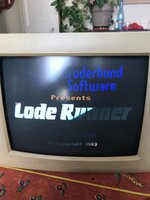
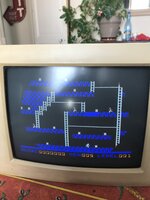
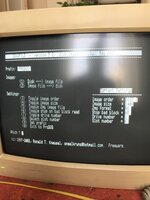
Hi, found those pictures from my own setup (was 2018 !!) time is flying.
IIRC the odd resolution is required and mandotory, not only for the LC monitors, but also for the Macintosh Classic Color (Colour) that can also use the card.
IIRC the odd resolution is required and mandotory, not only for the LC monitors, but also for the Macintosh Classic Color (Colour) that can also use the card.
Attachments
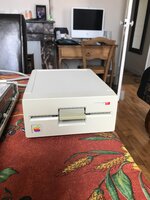
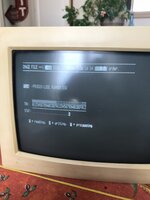
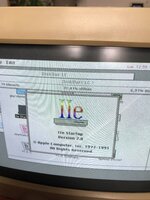
VERY interesting, I had assumed something more locked down was being used. Otherwise, why limit yourself to JUST those particular colours and also the repetition of black/white, with the high bit set. TBH I was not that disapointed by the colour choice, rather JUST the repitition of black/white, I guess it would have been nice to also get new colours out of that pair of bit patterns as well. But as Woz got the blue/orange from a 90° phase shift (as I understand it) meant that the change shift to orange/blue was just "automatic" with no tweaking beyond this.Anyway, through the magic of the analog composite video circuitry of a display, this purely digital bit stream is converted to color. Most of the work is done outside the Apple II and therefore beyond its control.
I wonder, could the colour burt phases have been tweaked to produce those other colours, pure red, yellow? Or was it that it was such a very simple system that specific offsets per pixel pattern were not possible?
Thanks for sharing, yep those look great. I found it interesting that my Mac to VGA to VGA/HDMI adapter worked for the Apple II mode. Its not VGA right? But still it came through, and made the video possible. My biggest problem now, is fixing me LC475's display. I managed to tweak my chaptures to make the vertical YELLOW lines appear grey, but in reality the white of windows appears as yellow on my LC475. Thats something to fix soon.Hi, found those pictures from my own setup (was 2018 !!) time is flying.
IIRC the odd resolution is required and mandotory, not only for the LC monitors, but also for the Macintosh Classic Color (Colour) that can also use the card.
What do you think about this:

It would be complicated. Look at the lores or double lores or double hires colors. The ones that look red or yellow are one of the 25% or 75% colors. The brightness (25% 50% 75%) is related to how long the output square wave is high. If the output is high for an entire 3.5M period - then it's white (100%).I wonder, could the colour burt phases have been tweaked to produce those other colours, pure red, yellow? Or was it that it was such a very simple system that specific offsets per pixel pattern were not possible?
Another way to categorize the colors is by the hue which is determined by the phase. Each group will have a 25% color, a 50% color, and a 75% color (dark to bright). But we're dealing with bit patterns so we can't choose exactly the same phase for each brightness level. i.e. Which 50% color relates most to this 25% color
__-_ ? Is it _--_ or __-- ? You have to look at the colors and make a subjective choice. The result should have all the reds together (dark red, violet, magenta), all the blues together (dark blue, blue, cyan), all the greens together (I think this is where yellow belongs?).The only thing that matters is the sync signals, the horizontal scan rate, and the vertical scan rate. The signal is analog, so you could dump a million pixels per line and still have the same timing. In other words, there's no way for the display to know that you're outputting 512 square pixels or 560 rectangular pixels per line. It works because the line takes the same amount of time in either case.Thanks for sharing, yep those look great. I found it interesting that my Mac to VGA to VGA/HDMI adapter worked for the Apple II mode. Its not VGA right? But still it came through, and made the video possible.
You might loose some info if the analog to digital conversion does not sample all the analog changes. Hopefully the HDMI adapter is making 1920 samples per line (or at least more samples than is being output by the original source).
My drives are. 107
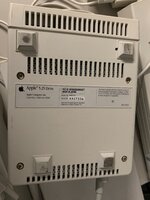
The card was already recapped by a specialist. If it had this issue before I can't tell.
The 3,5" internal FDD does work, I think it's controlled by the same chip as the external.
But you are right, it might be something with the card, but how to test this?
The 3,5" internal FDD does work, I think it's controlled by the same chip as the external.
But you are right, it might be something with the card, but how to test this?
Cap juice can go under the main connector, so can be an issue with a broken trace or pin.
Yes the internal drive is working, but I don’t think this one is managed the same way, as the internal rely on the LC logic board, probably not the external one.
Maybe you can check for any continuity issue on the connector at the back of the card, where the Y cable is.
Yes the internal drive is working, but I don’t think this one is managed the same way, as the internal rely on the LC logic board, probably not the external one.
Maybe you can check for any continuity issue on the connector at the back of the card, where the Y cable is.
The specialist that recapped the card told me that the card is working with the floppy-emu, but he did not get the real drive to work either.
I do not have that floppy-emulator in oder to test this for myself.
I do not have that floppy-emulator in oder to test this for myself.

Great setup! I like that you have replaced all monitors with LCDsWhat do you think about this:
sorry I cant help on your problem… anyway what video/connection do you use for IIgs to connect to LCD? And what brand are this LCD monitors?I checked the new 5,25" drive and it behaves exactly the same. Both work fine on the IIgs.
Similar threads
- Replies
- 8
- Views
- 524


- Replies
- 4
- Views
- 1K
- Replies
- 3
- Views
- 737

- Replies
- 12
- Views
- 2K