• Hello MLAers! We've re-enabled auto-approval for accounts. If you are still waiting on account approval, please check this thread for more information.

PB 2400c ram

MacUp72

6502
just dropped in..wow, this fella is tiny, interesting..feels very sturdy, nice build quality.
180Mhz model, english 8.6. install, came with an Buffalo Air Station 11Mbit Wifi card and the external floppy drive..the power brick is tiny!
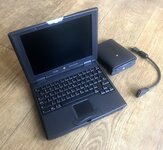
IMG_3723.jpg

have to open it soon to look for the pram battery, I wonder if I can use one of my old SDRAM sticks in it.
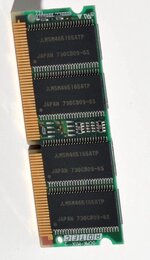
these are pc100, came from a Lombard etc. , as far as I read the original was EDO Ram.
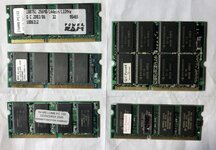
IMG_3699.jpg
 
They’re great laptops. The RAM is tricky - you need specific modules for the 2400c, standard EDO RAM does not work. 32/64 MB modules can be found usually on Japanese auction sites, the 96MB modules are very rare specific to the model.
 
Lower capacity standard EDO RAM should actually be detected. I'm fairly certain 32MB is the limit, and anything over that needs the rare custom RAM.
 
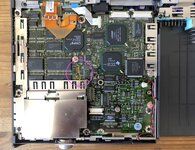
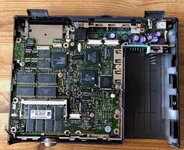
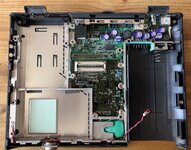
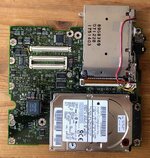
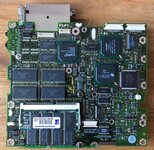
ok I did a dis- and reassembly of the machine because I wanted to take a look at the actual RAM thats installed, remove the pram battery and replace the HDD with a SD/IDE card.

I guess the encircled two yellow cables are those for the PCMCA/CardBus mod? ( this model is the 180Mhz model)

IMG_3740.jpeg

IMG_3745.jpeg


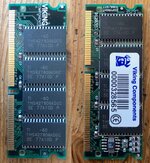
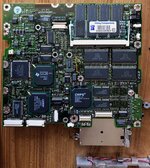
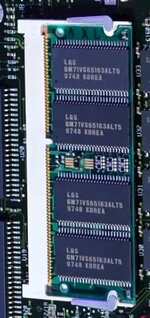
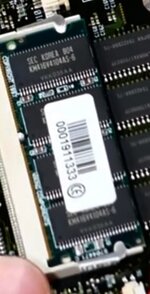
interesting, theres Viking RAM in there, and yeah, this does not look like a PC100 type

IMG_3743.jpeg


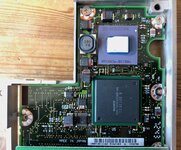
removal of the mainboard and daugtherboard

IMG_3746.jpeg IMG_3747.jpeg IMG_3749.jpeg

for the reassembly you have to disassemble everthing and reseat the daugtherboard.

IMG_3750.jpeg
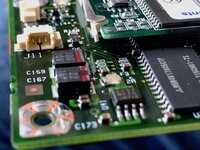
luckily the PRAM didn't leak very much, theres only one tiny bit of corrosion on the connector, cleaned up with IPA

IMG_3751.jpeg

luckily nothing got broken and it started right of the SD install.
I wonder where the clock crystal is located, maybe I'll swap it with a faster one as in the 3400c.
 

Attachments

  • IMG_3748.jpeg
    IMG_3748.jpeg
    2.6 MB · Views: 10
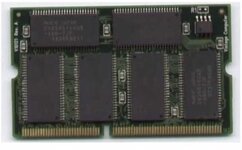
its confusing, EDO Ram basically belongs to DRAM, all 144pin, not compatible with newer synchronous
SDRAM, ok. EDO came in different packages, some ( as mine above) with 28 pin footprint, others with 32, but all EDO Ram run on 5V, not 3,3V.

so, maybe these 32pin EDO can run in the 2400c?

l.jpg
 
Last edited:
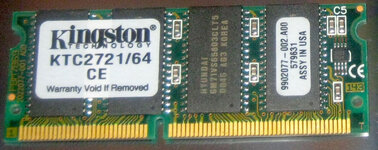
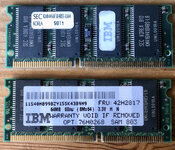
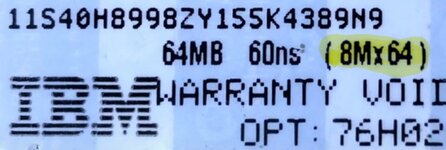
ok, little update on the RAM, I bought an IBM branded, 64MB, EDO SO-DIMM 144-pin 60ns 3.3v stick, after boot in 8.1 only half of it, 32MB are being recognized..ok, better that before, but still strange. ( I cleaned the contacts three times).
I asked the seller and he just went with the recommendation of the standard Apple page that only 32MB are supported.

That would mean even if you have correct period correct EDO RAM, like in the ThinkPad 380/380E (May 1997), like mine, it still would recognize only 32MB. Only Apple branded special RAM would be recogized 64MB or higher, these modules must have a special addressed RAM design.


ram.jpg


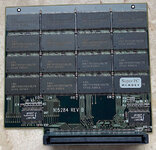
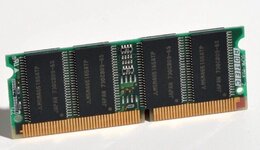
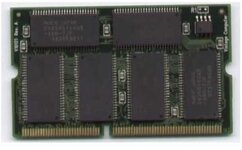
here some screenshots of 64MB sticks featured in different YT videos
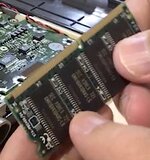
you can see these in fact have 50 pins chips on them ( not the older EDO chips with 28)

sean2400-2.jpg sean2400ram.jpg Bildschirmfoto 2024-05-16 um 09.31.28.jpg 2400ram.jpg


the infamous 96MB RAM, 64MB down+32MB on top of it ( distributed on both sides)

240096.jpg
 
Only 32MB being recognized is consistent with what I’ve heard. I believe the pinout of the higher capacity 2400 modules is different.
 
There is some info on this isn the PB 2400 and 3400 developer notes.

There are copies here among other places.
RAM Expansion 1
The PowerBook 2400c computer accommodates one SO (small outline) DIMM for RAM expansion. The DIMM can have either 16 or 32 MB of additional RAM.
The mechanical characteristics of the RAM expansion DIMM are given in the JEDEC specification for the 144-pin 8-byte DRAM SO DIMM. The PowerBook 2400c computer can accommodate an SO DIMM with a height of 1.0, 1.25, or 1.5 inches.
While the JEDEC specification for the SO DIMM defines a Serial Presence Detect (SPD) feature that contains the attributes of the module, the Macintosh PowerBook 2400c computer does not support the SPD feature. The computer requires the DIMM to contain EDO DRAM devices with access times of 60 ns or less.
The electrical characteristics of the DIMM must be the same as those of the RAM expansion module for the PowerBook 3400 computer, as described in the PowerBook 3400 Developer Note. To obtain that developer note, please refer to “Supplemental Reference Documents” on page vii.

IMPORTANT - Unlike the RAM expansion module for the PowerBook 3400 computer, the SO DIMM for the PowerBook 2400c computer does not require an address buffer.

Note - The PowerBook 2400c computer can accept a DIMM that uses 64-megabit DRAM devices. The electrical characteristics of such a DIMM must be the same as those of the corresponding expansion module for the PowerBook 3400 computer: the DRAM devices must be 4 M by 16-bit devices with 12-by-10 address multiplexing, and the connections to device address bits 9 and 10 must be swapped on the DIMM.

Looks like they are saying the PB 2400 SoDIMM is mostly a repacking of the 3400 RAM expansion module. That last line seems pretty odd, perhaps what makes these PB 2400 SoDIMMs unlike other/generic 144-pin EDO SoDIMMs
 
thats a lot of valuable info ..reading through the two PDF I wonder how you would compare the form factor of a 3400c RAM expansion module ( has only one side populated) with that of a SO-DIMM 😳..and the connectors

ram2.jpg 2400ram.jpg 240096.jpg

maybe a new interesting community challenge..as there is obviously a demand for these RAM, wordwide..especially the 96 MB one... (y)👨‍🎓
 
Last edited:
found a funny site about modding a SO DIMM for the 2400..
use google translate..
:ROFLMAO:
 
Back
Top