Update the... I dunno. Third or fourth?
Using the correct set of menu options in Graphiccelerator, I was able to flash the unmodded Diamond #1 with a reduced v226 ROM with no error messages. Even better, the G4 booted up afterwards and detected it. I guess "hotswapping" VGA cables wasn't a thing back then, as I couldn't get output moving the monitor from the Rage AGP card to the Radeon, but rebooting with it plugged into the Radeon's VGA port got it to display also.
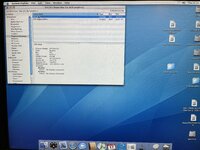
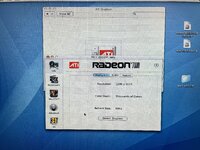
Then I re-flashed the other two cards with the PC firmware from my linux box and went to test them with Graphiccellerator with less good results. For the modded Diamond #2, I attempted to flash it with the v226 full ROM. It completed successfully, and the G4 booted (though it took its time), but when it was done booting, it no longer saw the card at all. Which is a slight improvement from refusing to boot entirely, but not by much.
In the interest of time, I decided to move ahead with the green Xserve card. I put it in and flashed it with the v208 full firmware noted previously in post #13 to see if it would act any different from before. It flashed with no errors, and on reboot, it was detected!
...as an 8MB card.
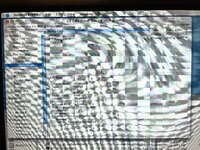
So I rebooted with the VGA cable plugged into it and got a screen full of garbage. When it was done booting, I could tell that it was trying its best to display my desktop, but failing utterly.
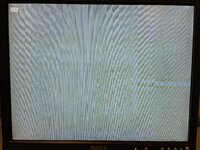
No idea what's happening there. My plan tonight is to re-flash diamond #2 with the 208 firmware to see what happens, and also to find and run ATI's ROM updater on the Xserve card to see if "officially" updating it to 226 fixes anything. Of course, I'm still open to ideas, criticisms, pointing out obvious mistakes, etc.








