


This is mostly for historical use and tinkering. No rational person would bother to run this protocol on their computers. Apple managed to mostly erase all traces of it once EtherTalk Phase 2 showed up in 1989.
System Requirements:
-You must be running classic networking. This will not work with Open Transport. So you are stuck with System 7.5.x as a maximum and no 1st gen PCI Power Macs (they only support OT). I have tested this with System 7.1 on Basilisk II with a Quadra 650 ROM and it worked fine.
-Install your Ethernet card's drivers. Use Apple's Network Software Installer if you have built-in or an Apple Nubus card.
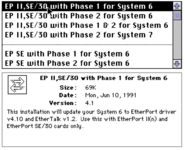
-Find a copy of Asanté's "Ethertalk Installer" 5.6.1 (any 5.x version will do really). Drag the file called "EtherTalk Phase 1" into your extensions folder. Reboot.
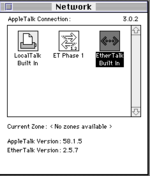
-After reboot, open the Network control panel and select "ET Phase 1" and you are now networking like its 1988.
System Requirements:
-You must be running classic networking. This will not work with Open Transport. So you are stuck with System 7.5.x as a maximum and no 1st gen PCI Power Macs (they only support OT). I have tested this with System 7.1 on Basilisk II with a Quadra 650 ROM and it worked fine.
-Install your Ethernet card's drivers. Use Apple's Network Software Installer if you have built-in or an Apple Nubus card.
-Find a copy of Asanté's "Ethertalk Installer" 5.6.1 (any 5.x version will do really). Drag the file called "EtherTalk Phase 1" into your extensions folder. Reboot.
-After reboot, open the Network control panel and select "ET Phase 1" and you are now networking like its 1988.



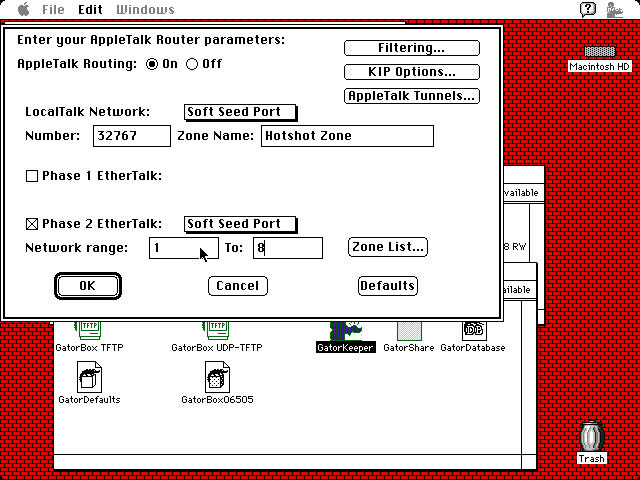




 I do like the differentiation in the icons!


