@Bolle
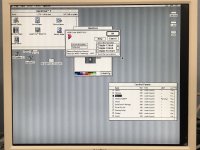
The display I have been using (a picture of which is shown on page 1 of this thread) is a Japanese "Logitec" brand display that was discontinued back in 2005. Here's a translated web page showing the specs:
https://translate.google.com/translate?sl=ja&tl=en&u=https%3A%2F%2Fwww.logitec.co.jp%2Fproducts%2Fmonitor%2Flcmt175as.html
17" SXGA 1280x1024
Sync Horizontal: 30 KHz to 82 KHz Sync Vertical: 56 Hz to 77 Hz
Resolutions and frequency presets listed on the above web page.
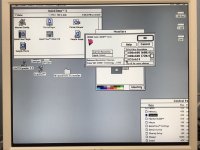
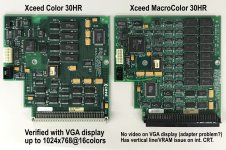
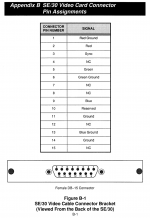
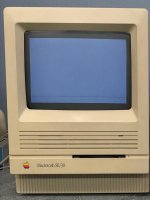
But again, I must repeat the questions in my previous post. I'm not sure how to test this. You see, my CRT display works as normal UNTIL I connect the VGA display. If I connect the display when the Mac is already booted, the CRT display remains but contrast drops in half, and nothing displays on the external monitor. But if I cold-boot with the VGA display connected, then my internal monitor displays nothing (because it becomes a second monitor), and nothing at all displays on my VGA display with my MacroColor30HR card, but video displays fine with my Color30HR card. What this means is, if all I do is try to probe individual pins, I doubt I would get a signal because the video card would detect that no monitor is connected. So to test the signals, I would need to connect the monitor, then do a cold boot, and then test. But again, I am not sure what signals I am looking for. I could use my Color30HR's signals as a reference, but since I don't know what to look for, should I find a difference in the signals between the two video cards, can one say that difference is "the problem" or in fact just a difference in signals between the two cards. All said, I have test equipment, but I don't know the best way to use that equipment (scopes, meters, etc) to test because I don't know what signals I need to be looking for and on what pins. If you do, please let me know.
Thanks.