Hi guys,
I bought this SE/30 as is.
When I first started it I got this screen:

Then I opened it up and pressed the socketed ICs down and it showed me the simasimac screen and then, turning it off and on again, it worked.
I was able to use it for some time, tested my other Mac HD on it, tried to see if the floppy was working, but sometimes the screen went black and the same pattern above appeared. Waited a little more and the mac screen was fine.
I tried to move the mac (still on) to a better position on the table and was able to see this affected the screen.
I continued to use the Mac for sometime but the problem was still happening.
Noticed that if I knocked the mac on the site (the one with the analog board) the screen returned to work. I thought the problem was on the analog board.
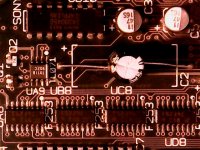
I removed the logic board and with it out of the case I tried to repeat the knocking to see what happened: nothing. I realized the problem was on the logic board. If I knocked it on the same side, the screen changed but now I was able to hear some noises coming from this area:

Then the board just gave me the pattern from the first picutre. I noticed the + leg of C2 was hot. I replaced it but nothing changed. I saw the board was hit hard with capacitor leak and LS166 was very corroded. I used isopropanol but the damage was so severe it lost 3 legs. I removed all capacitors, washed the board, let it dry for 3 days, recapped it and replaced LS166. Now I only get the simasimac screen. I tested the memory and ROM on another SE/30 and they are fine.
Guys, where should I look or test to get it working again?
Thanks in advance.
I bought this SE/30 as is.
When I first started it I got this screen:
Then I opened it up and pressed the socketed ICs down and it showed me the simasimac screen and then, turning it off and on again, it worked.
I was able to use it for some time, tested my other Mac HD on it, tried to see if the floppy was working, but sometimes the screen went black and the same pattern above appeared. Waited a little more and the mac screen was fine.
I tried to move the mac (still on) to a better position on the table and was able to see this affected the screen.
I continued to use the Mac for sometime but the problem was still happening.
Noticed that if I knocked the mac on the site (the one with the analog board) the screen returned to work. I thought the problem was on the analog board.
I removed the logic board and with it out of the case I tried to repeat the knocking to see what happened: nothing. I realized the problem was on the logic board. If I knocked it on the same side, the screen changed but now I was able to hear some noises coming from this area:
(this isn't my board picture, just got one from the web as example)
Then the board just gave me the pattern from the first picutre. I noticed the + leg of C2 was hot. I replaced it but nothing changed. I saw the board was hit hard with capacitor leak and LS166 was very corroded. I used isopropanol but the damage was so severe it lost 3 legs. I removed all capacitors, washed the board, let it dry for 3 days, recapped it and replaced LS166. Now I only get the simasimac screen. I tested the memory and ROM on another SE/30 and they are fine.
Guys, where should I look or test to get it working again?
Thanks in advance.