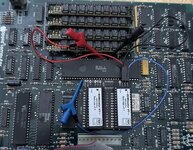
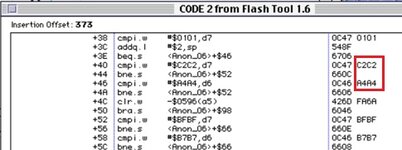
I decided to play around with the Rominator v1 I installed in my MacPlus. When I dump out the ROM, the first bits are: BBBB BBBB. When running the Flash Tool v1.6 to update the boot chime, I get the following error:
Error: Flash ID 3737, 8686 did not match any known device ID
Looking at the c code for the Flash Tool v1.6, I am not quite sure how the software is reading these values from the ROM. They certainly don't match addresses 00-01 (manufacturerID) and 02-03 (deviceID) starting at offset 400000 (where the ROM is resident).
It almost looks like the software is trying to determine what type of chips are installed (SST vs AMD) to determine how to flash them. So maybe the BBBB BBBB needs to be manually overwritten with what I have? Just interesting that it is displaying these numbers instead of BBBB...
Error: Flash ID 3737, 8686 did not match any known device ID
Looking at the c code for the Flash Tool v1.6, I am not quite sure how the software is reading these values from the ROM. They certainly don't match addresses 00-01 (manufacturerID) and 02-03 (deviceID) starting at offset 400000 (where the ROM is resident).
It almost looks like the software is trying to determine what type of chips are installed (SST vs AMD) to determine how to flash them. So maybe the BBBB BBBB needs to be manually overwritten with what I have? Just interesting that it is displaying these numbers instead of BBBB...
Last edited: