Follow along with the video below to see how to install our site as a web app on your home screen.
Note: This feature may not be available in some browsers.
Hello MLAers! We've re-enabled auto-approval for accounts. If you are still waiting on account approval, please check this thread for more information.
Very nice! After a lifetime of UNIX boxen work (and OS X for everyday use), I'm getting into classic Mac OS - 7 and 9 at present. I'll be enjoying that, as well as, of course, the MLA!
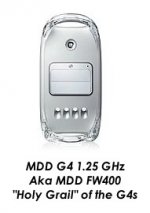
I have such a "holy grail" MDD (bought specifically new because it *could* boot OS 9 still). It has dual 1.8GHz Sonnet G4s in it now and is the Classilla development machine.
My QS2002 might not be "Holy Grail", but with the Duet 1.8G upgrade it certainly is my preferred desktop machine.
Pity it only has a max of 1.5GB RAM. I think for its next birthday I'll by it a new SSD for 10.5, and put a IDE/SATA adapter on the 60GB SSD for 9.22 to play with.
The 60GB SSD (OWC with Sandforce Controller for built-in TRIM support) running 10.5.8 is on the PCI SATA controller, just wasn't able to find one supported by MOS9, so I'll try to get the 60GB working on 9.2.2 using a SATA/IDE adapter, and put a larger SSD for 10.5.8, probably a 256GB.
This site uses cookies to help personalise content, tailor your experience and to keep you logged in if you register.
By continuing to use this site, you are consenting to our use of cookies.