Hi,
Wanted to try Maclynx on my Classic, cause it can connect to gopher and I have problem with MacGopher (downloaded files are seen as corrupted by stuffit) and TurboGopher (crashes, "adress error"…) .
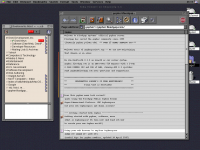
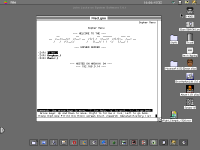
But I ran into a stupid problem , on a 1400C screen Maclynx window size is ok :
But on the small Classic screen :
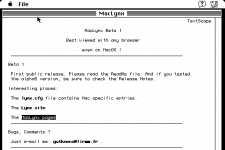
I can't enter an adress at the bottom of the page. And I can't resize the window, cause the resize button is also on the hidden bottom part of the window… And there is no automatic resize button on the top right side.
Was about to ask for a solution here when I found one. It's nearly as stupid as the problem itself. I post it here, maybe it's well known or maybe can help …
In the Maclynx folder grab the "lynx.cfg" file, I had to take it to another Mac to open it cause the Classic installed text editor wouldn't open it. Anyway once opened check for those lines:
# MacOS ONLY:
#==========
# You can set initial size for Lynx window.
TERM_LINES:35
TERM_COLS:80
Change the values to smaller ones, say like 10 and 40.
Put back "lynx.cfg" to his proper place on the Classic.
Et voilà :
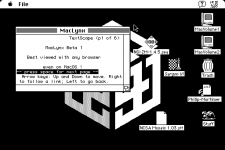
now I can resize the window :

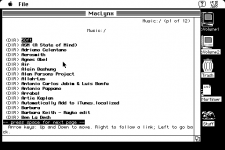
happy galgot.
Note, even though I can now browse and download (slooooooowwwwly) with Maclynx, Stuffitdeluxe 4 still see the downloaded files as corrupted...
Wanted to try Maclynx on my Classic, cause it can connect to gopher and I have problem with MacGopher (downloaded files are seen as corrupted by stuffit) and TurboGopher (crashes, "adress error"…) .
But I ran into a stupid problem , on a 1400C screen Maclynx window size is ok :
But on the small Classic screen :
I can't enter an adress at the bottom of the page. And I can't resize the window, cause the resize button is also on the hidden bottom part of the window… And there is no automatic resize button on the top right side.
Was about to ask for a solution here when I found one. It's nearly as stupid as the problem itself. I post it here, maybe it's well known or maybe can help …
In the Maclynx folder grab the "lynx.cfg" file, I had to take it to another Mac to open it cause the Classic installed text editor wouldn't open it. Anyway once opened check for those lines:
# MacOS ONLY:
#==========
# You can set initial size for Lynx window.
TERM_LINES:35
TERM_COLS:80
Change the values to smaller ones, say like 10 and 40.
Put back "lynx.cfg" to his proper place on the Classic.
Et voilà :
now I can resize the window :
happy galgot.
Note, even though I can now browse and download (slooooooowwwwly) with Maclynx, Stuffitdeluxe 4 still see the downloaded files as corrupted...
Last edited by a moderator:

 Hope you'll enjoy it. Will try binhexing.