An older friend from work just gave me his SE M5011, apparently he has no attachment to it, and didn't want to deal with selling it. I had told him of my recent success of an SE M5010 restoration, and of another work in progress with a fussy SE/30. So he figured I could use some more old Mac stuff
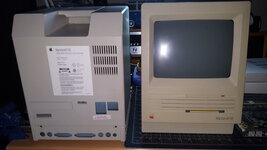
Not too yellow.
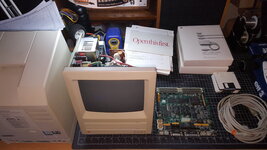
 Thought for certain the floppy in there was stuck, due to the eject gear turning to cheddar cheese, but this one still ejects!
The most incredible thing to me, was it has every manual and brochure, even the order sheet, as well as some other neat stuff.
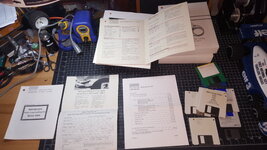
Warranty card and order sheet.
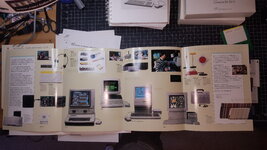
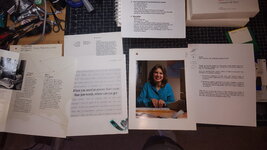
Lots of information on Special Education, or peripherals and software to aid the physically impaired.
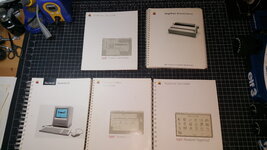
The manuals look unopened, all of them.
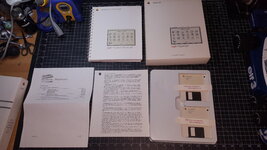
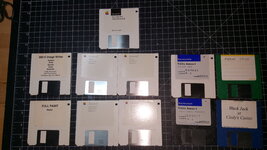
Hyper Card still has the seals on the floppies.
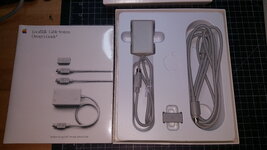
The LocalTalk manual is still shrink wrapped, I think I was the first to open the box.
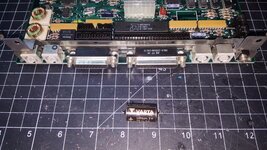
No battery leak.
This SE and all the stuff in the pics, was stored in a shed, by the ocean, so it has a damp smell to it, and so far the SE Tour disk wouldn't work. I couldn't see mold on the disk surface, but the media feels difficult to rotate in the jacket. Will have to test a few more of those, the System Tools and Utilities disks might not work either. I did test a newer SE Tour disk and it does work, the drive is good.
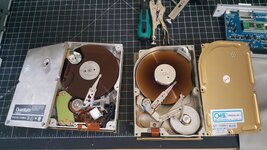
The 20Mb HDD also still works. It made some high pitch noises moving the head for the first few times, after all of these years, but it seems to be quieting down and working well now.
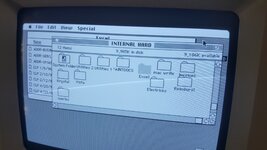
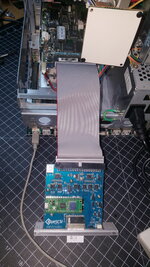
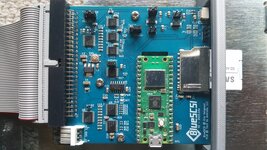
The previous owner would like to have his hard drive files, he's in his early 80's and won't retire, he's able to understand the concept of Basilisk II, so I'd like to use BlueSCSI v2 to image his physical drive, so he can have his SE system exactly as it was on his current laptop.
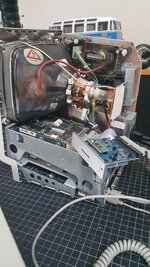
Going to use this video to get the drive clone procedure and settings, and then test the image with Basilisk II.
This bundle also included a couple of Apple 8-pin communication cables, going to try to talk to my broken SE/30 with these cables, using an SE terminal at some point.
Not too yellow.
Thought for certain the floppy in there was stuck, due to the eject gear turning to cheddar cheese, but this one still ejects!The most incredible thing to me, was it has every manual and brochure, even the order sheet, as well as some other neat stuff.
Warranty card and order sheet.
Lots of information on Special Education, or peripherals and software to aid the physically impaired.
The manuals look unopened, all of them.
Hyper Card still has the seals on the floppies.
The LocalTalk manual is still shrink wrapped, I think I was the first to open the box.
No battery leak.
This SE and all the stuff in the pics, was stored in a shed, by the ocean, so it has a damp smell to it, and so far the SE Tour disk wouldn't work. I couldn't see mold on the disk surface, but the media feels difficult to rotate in the jacket. Will have to test a few more of those, the System Tools and Utilities disks might not work either. I did test a newer SE Tour disk and it does work, the drive is good.
The 20Mb HDD also still works. It made some high pitch noises moving the head for the first few times, after all of these years, but it seems to be quieting down and working well now.
The previous owner would like to have his hard drive files, he's in his early 80's and won't retire, he's able to understand the concept of Basilisk II, so I'd like to use BlueSCSI v2 to image his physical drive, so he can have his SE system exactly as it was on his current laptop.
Going to use this video to get the drive clone procedure and settings, and then test the image with Basilisk II.
This bundle also included a couple of Apple 8-pin communication cables, going to try to talk to my broken SE/30 with these cables, using an SE terminal at some point.
Last edited: