Hello,
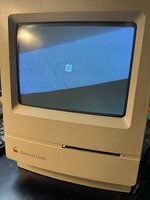
A while back I partially recapped the analog board of my Macintosh Classic. I got the typical suspects replaced. I remember it working fine, but when I turned it on today, the screen is smaller at the top and bigger at the bottom.
If you wait for the computer to warm up, it eventually fills out 95% of the way, with the top still not looking perfect.
Any ideas of what could be the issue? Is it still a capacitor issue? Any help would be appreciated!

A while back I partially recapped the analog board of my Macintosh Classic. I got the typical suspects replaced. I remember it working fine, but when I turned it on today, the screen is smaller at the top and bigger at the bottom.
If you wait for the computer to warm up, it eventually fills out 95% of the way, with the top still not looking perfect.
Any ideas of what could be the issue? Is it still a capacitor issue? Any help would be appreciated!