• Hello MLAers! We've re-enabled auto-approval for accounts. If you are still waiting on account approval, please check this thread for more information.

Mac PPC HD migrate to CF/SD ??

KLund1

6502
Hi again,
As before, I am still kind of new to vintage mac's.
I have a working 3400c that boots ok to HD.
How can I migrate to a CF/SD card HD? I want to keep the OS it has. (9.00)
I have a probably working PowerMac 7100, and a Win98se, and win10 pc to work with.
I would welcome any nubee suggestions about how to do this.
Thanks!
 
A cheap PCMCIA to CF adapter would be your best bet here, format the CF card using Drive Setup.

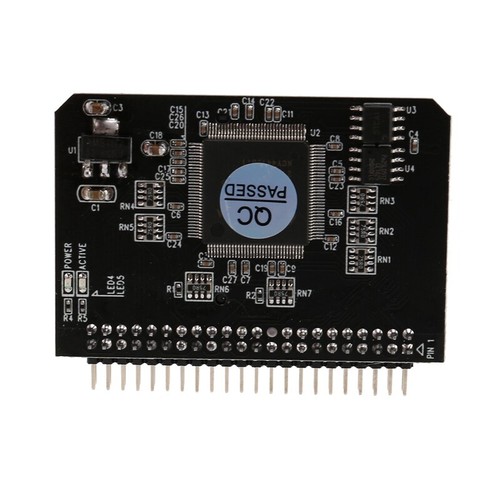
Drag everything over to the CF card, as found on the HD including desktop files. You should be able to boot from this; go to Startup Disk and see if the CF card Mac OS is available. Try to boot, then you know it works. From here, remove HD and replace with 2.5" IDE to CF adapter.
 
Hi again,
As before, I am still kind of new to vintage mac's.
I have a working 3400c that boots ok to HD.
How can I migrate to a CF/SD card HD? I want to keep the OS it has. (9.00)
I have a probably working PowerMac 7100, and a Win98se, and win10 pc to work with.
I would welcome any nubee suggestions about how to do this.
Thanks!

I have adapters like this in a couple of similar age powerbooks. Make sure it doesn't short on anything by making a bracket or using kapton tape.

 
Will do.
Thx
But I need a lot more hand holding though this.
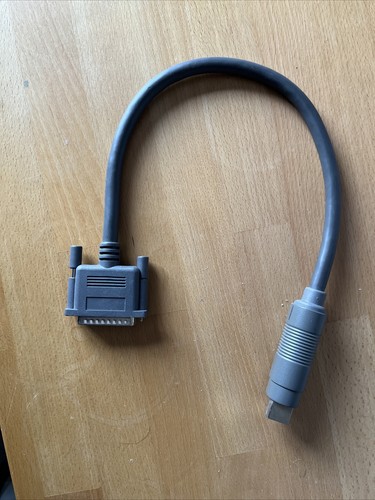
I'd migrate using your 7100. The laptops tend to support something called "SCSI Target Mode" - with the right cable and holding a key combination, you can mount the laptop as an external hard disk on your 7100.

From the 7100...
Back up the original disk (if you have enough free space).
Install the new SD card
Format the card.
Copy the files back.

On old macs you don't usually need to do disk images, you can just copy the files and They're bootable.
 
Back
Top