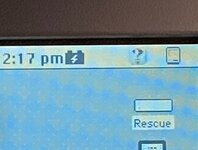
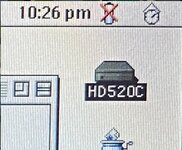
I never saw it in the menu bar under classic iirc, it was always in the control strip for me. OS X, yes, it's in the menu but that's the only time i ever saw it there.
I never saw it in the menu bar under classic iirc, it was always in the control strip for me. OS X, yes, it's in the menu but that's the only time i ever saw it there.
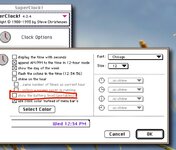
It is of course illogical that it should be in the date and time control panel, but it’s probably for historical reasons. Date and Time was based on the third party ‘Superclock’ and the developer probably added it in as an extra goodie at that time - and it just stuck after that control panel was incorporated into the Mac OS.
I don't know if this was before or after Apple bought the rights to superclock but yes, pretty sure this is one of the things that got wedged into it when more and more features ended up being wedged into strange places in the codebase. In retrospect, you can really see that 7.5 is where the codebase started collapsing under its own weight. I'm sure it was far more obvious at the time when working on it.
I don't know if this was before or after Apple bought the rights to superclock but yes, pretty sure this is one of the things that got wedged into it when more and more features ended up being wedged into strange places in the codebase. In retrospect, you can really see that 7.5 is where the codebase started collapsing under its own weight. I'm sure it was far more obvious at the time when working on it.
I wasn’t sure either but I’ve just double checked:
If Apple had implemented it later on, it would have likely gone in the PowerBook or PowerBook Setup control panel (I forget which one is which, it’s so unintuitive, but one of them is for power management) - or in the Energy Saver control panel from OS 8 onwards.
This site uses cookies to help personalise content, tailor your experience and to keep you logged in if you register.
By continuing to use this site, you are consenting to our use of cookies.