Took down my color classic last week, to be a kid for the day (again).
I have 2 color classics. This one, all standard and the second one is the mystic that I did the video mod on.
all was ok for a while, then the display started jumping,twitching so decided to have a look.
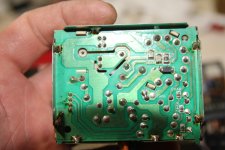
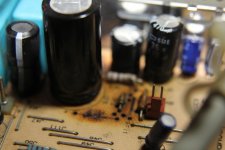
Opened her up, took out analog board, and found overheated components.
I replaced 9 caps around video circuit where the high temps seemed apparent. 2 of the caps had failed according to my tester and the rest seemed to be in spec. I replaced them with higher voltage caps
Video working again.
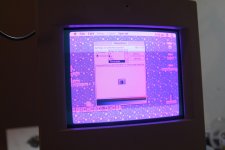
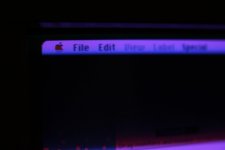
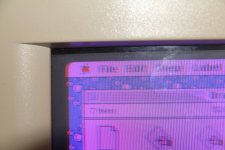
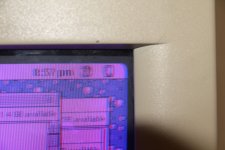
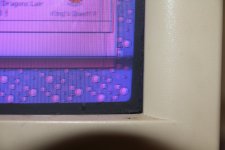
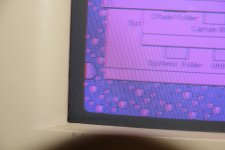
However , no matter what adjustments i make on the video control pots I looks like the red and blue are slightly 'shifted' (im not sure how to even describe it)
The logic board was recapped last year.
I have not replaced all of the caps on the analog board as i dont have them, only the ones where the burning took place.
The caps I dont have replacements for, I removed and tested them. Their values are in spec. But as some of these caps run very hot I am wondering if the values of old caps can go out of spec when they heat up.
The only true fix is to replace every cap, but theres about 50 caps on it.
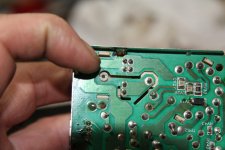
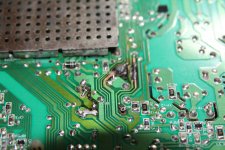
There are also 2 diodes that look very crispy but according to the meter they work. The high temps had damaged the traces on the back of the board but I managed to repair that damage as well. Also , 2 resistor were very crispy. I replaced them with 2 watt resistors.
I am no hardware engineer but from googleing it seems that this overheating happens on all color classics. This is poor design , right? Thinking of mounting a small 12 volt fan close to this area to help it stay cool.
Anyone have this problem with the red green and blue being 'shifted' out of position.
I have 2 color classics. This one, all standard and the second one is the mystic that I did the video mod on.
all was ok for a while, then the display started jumping,twitching so decided to have a look.
Opened her up, took out analog board, and found overheated components.
I replaced 9 caps around video circuit where the high temps seemed apparent. 2 of the caps had failed according to my tester and the rest seemed to be in spec. I replaced them with higher voltage caps
Video working again.
However , no matter what adjustments i make on the video control pots I looks like the red and blue are slightly 'shifted' (im not sure how to even describe it)
The logic board was recapped last year.
I have not replaced all of the caps on the analog board as i dont have them, only the ones where the burning took place.
The caps I dont have replacements for, I removed and tested them. Their values are in spec. But as some of these caps run very hot I am wondering if the values of old caps can go out of spec when they heat up.
The only true fix is to replace every cap, but theres about 50 caps on it.
There are also 2 diodes that look very crispy but according to the meter they work. The high temps had damaged the traces on the back of the board but I managed to repair that damage as well. Also , 2 resistor were very crispy. I replaced them with 2 watt resistors.
I am no hardware engineer but from googleing it seems that this overheating happens on all color classics. This is poor design , right? Thinking of mounting a small 12 volt fan close to this area to help it stay cool.
Anyone have this problem with the red green and blue being 'shifted' out of position.
Last edited by a moderator: