• Hello MLAers! We've re-enabled auto-approval for accounts. If you are still waiting on account approval, please check this thread for more information.

4400 no video.

crazyben

6502
I recently bought a power Mac 4400. It is missing RAM and IDE cable. When u power it on I hear the chime but no video. CRT Monitor does get power. I am guess it is cuz of missing RAM. I did put 4.5 PRAM battery. Since the RAM is 3.3v just like 7200 i decided to put one from there. But when I put the RAM monitor do not get power and there is no video. What am I missing. Below picture is of the RAM I am using.
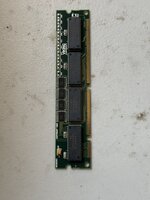
 

Attachments

  • IMG_4797.jpeg
    IMG_4797.jpeg
    1.7 MB · Views: 10
  • IMG_4798.jpeg
    IMG_4798.jpeg
    1.7 MB · Views: 10
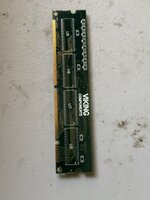
I recently bought a power Mac 4400. It is missing RAM and IDE cable. When u power it on I hear the chime but no video. CRT Monitor does get power. I am guess it is cuz of missing RAM. I did put 4.5 PRAM battery. Since the RAM is 3.3v just like 7200 i decided to put one from there. But when I put the RAM monitor do not get power and there is no video. What am I missing. Below picture is of the RAM I am using.
I'm a bit confused. The PM4400 has 3x EDO DRAM slots, but uses VRAM for video and there's a separate DIMM slot for that.


It's not clear that you've installed both.
 
I don't think RAM from a 7200 will work in a 4400:

7200: 5- volt, 64-bit-wide, 168-pin fast-paged mode, 70 ns DIMMs.

https://www.applerepairmanuals.com/the_manuals_are_in_here/Power_Macintosh_4400.pdf
4400: 3.3 V unbuffered 8-byte extended data output (EDO) JEDEC-standard 168-pin DRAM DIMM cards

I believe the 4400 and the clones based on it's logic board (Tanzania architecture) are the only Macs to use this type of memory.
 
You won’t be able to use a 5V 168-pin RAM in a 3.3V slot and vice-versa, unless you broke something.
There is 2 notchs on the RAM connector, changing based on the RAM voltage and RAM type (unbuffered, buffered).

There is a nice schema here: http://ps-2.kev009.com/eprmhtml/eprma/h870.htm

What you must pay extra attention to is refresh per cycle (or 1k/2k/4k refresh).

The 4400 will only support 1k/2k refresh RAM, 4k will not work properly.

Also this computer only supports up to 2x64MB and one 32MB (in the slot nearest to the PSU).

Despite sharing the same form factor with SDRAM (PC66/100/133/…) it’s not compatible.

Only way to be sure when you see a RAM stick in sale is to check the notchs and one of the ram chip part number against a datasheet database.
 
You won’t be able to use a 5V 168-pin RAM in a 3.3V slot and vice-versa, unless you broke something.
There is 2 notchs on the RAM connector, changing based on the RAM voltage and RAM type (unbuffered, buffered).

There is a nice schema here: http://ps-2.kev009.com/eprmhtml/eprma/h870.htm

What you must pay extra attention to is refresh per cycle (or 1k/2k/4k refresh).

The 4400 will only support 1k/2k refresh RAM, 4k will not work properly.

Also this computer only supports up to 2x64MB and one 32MB (in the slot nearest to the PSU).

Despite sharing the same form factor with SDRAM (PC66/100/133/…) it’s not compatible.

Only way to be sure when you see a RAM stick in sale is to check the notchs and one of the ram chip part number against a datasheet database.
I don’t think I broke anything. I can take pic later to confirm that. Thank you for sending the details. Now time to find someone who sells it.
 
How much RAM are you looking for? I think I might have a 16MB and/or 32MB stick leftover from when I upgraded the RAM in my 4400. It took me a good while to find two 64 MB DIMMs for mine on eBay at a price I was willing to pay.
 
Back
Top