

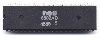
I have a Mac Classic that I got for cheap. It was not working in any way shape or form. I recapped it and now it boots! It has the ram expansion module, so I thought it would have 4 MB of RAM in it. I verified that was in fact the case, though the OS only showed 2MB. I tried moving the jumper and even verified the 4 MB of RAM by installing the module in my known working Mac Classic where I was able to replicate the issue. Either RAM module shows the 4 MB in my other classic, and the logic board I just recapped only shows 2MB regardless of which chassis or RAM module it is paired with.
I then pulled the bomarc schematics and did some research and that directed me towards UH6. I got my microscope out and found that UH6 is completely missing. Seems like that would be the issue. While I was at Vintage Computer Festival Mid-West last weekend, I met Thomas from Amiga of Rochester. He gifted me a 74LS174 to try out. I installed that today and was greeted with a sad mac memory error. I took the RAM module out and tried again, same error. At this point I thought maybe I missed a solder joint or something. Looking at it again, I realized I had accidentally installed the chip backwards.
I rotated it 180 degrees and re-installed. Now I am back at 2MB of RAM.
So now I am at a crossroads.
I am concerned I fried the chip by installing it backwards and don't know if it is good or bad. My other concern is maybe I did have it installed correctly, and there was another problem that I am assuming was me installing it backwards.
I am seeing continuity between pin 53 on the CPU and pin 11 on the 74LS174 now.
At this point, I am looking for a good next step. I don't see a cutout on this 74LS174, so I am not sure how to locate pin 1. That may be a good place to start. Are there any other things I am missing?
I then pulled the bomarc schematics and did some research and that directed me towards UH6. I got my microscope out and found that UH6 is completely missing. Seems like that would be the issue. While I was at Vintage Computer Festival Mid-West last weekend, I met Thomas from Amiga of Rochester. He gifted me a 74LS174 to try out. I installed that today and was greeted with a sad mac memory error. I took the RAM module out and tried again, same error. At this point I thought maybe I missed a solder joint or something. Looking at it again, I realized I had accidentally installed the chip backwards.
I rotated it 180 degrees and re-installed. Now I am back at 2MB of RAM.
So now I am at a crossroads.
I am concerned I fried the chip by installing it backwards and don't know if it is good or bad. My other concern is maybe I did have it installed correctly, and there was another problem that I am assuming was me installing it backwards.
I am seeing continuity between pin 53 on the CPU and pin 11 on the 74LS174 now.
At this point, I am looking for a good next step. I don't see a cutout on this 74LS174, so I am not sure how to locate pin 1. That may be a good place to start. Are there any other things I am missing?

 ). Putting a chip in backwards happens to everyone (even when you know pin one), so don't fret. Worse case I can send you another.


